Zoélie
An action puzzle platformer about a girl, her town, and an imagination-powered quilt.
The Game
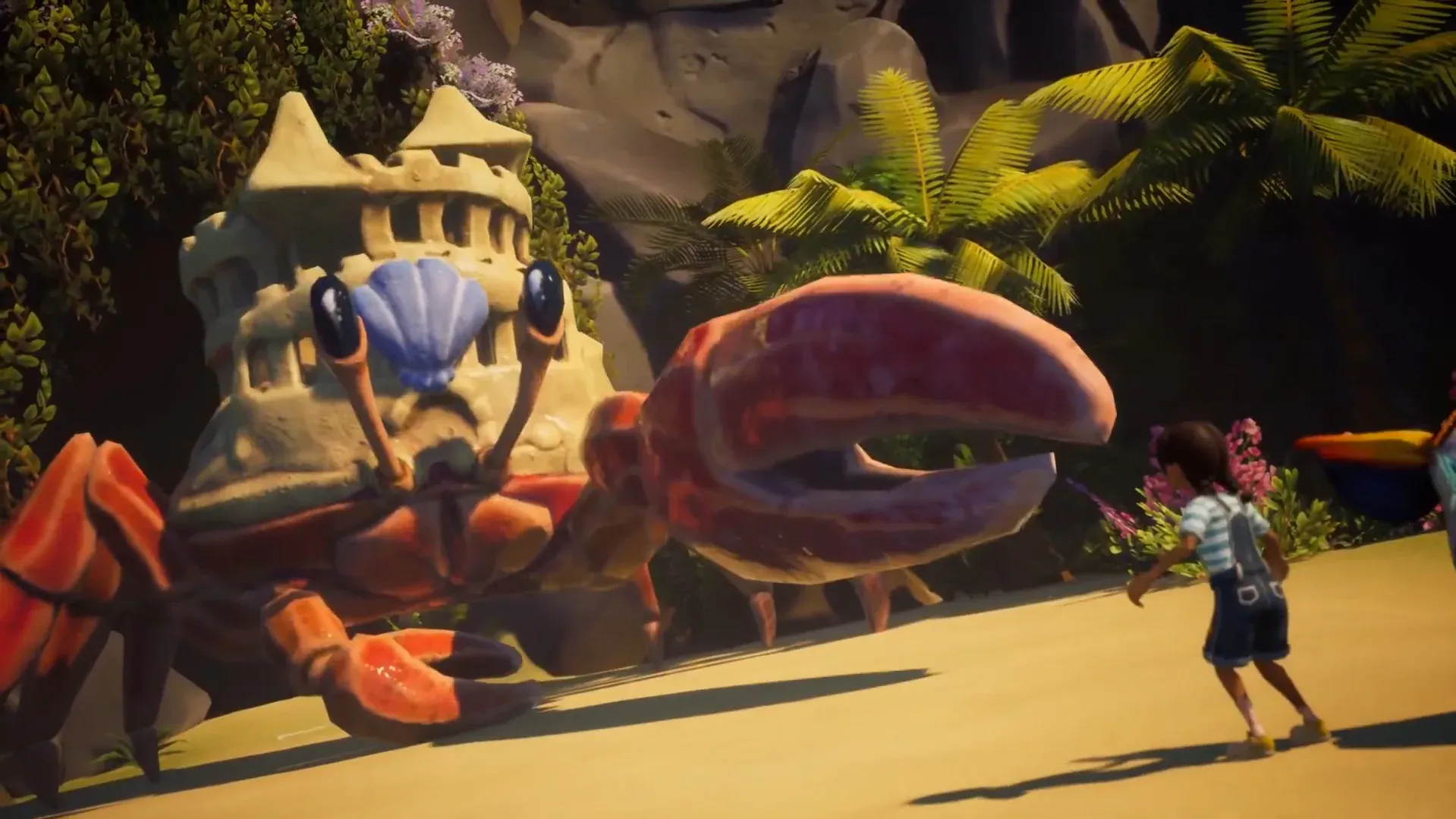
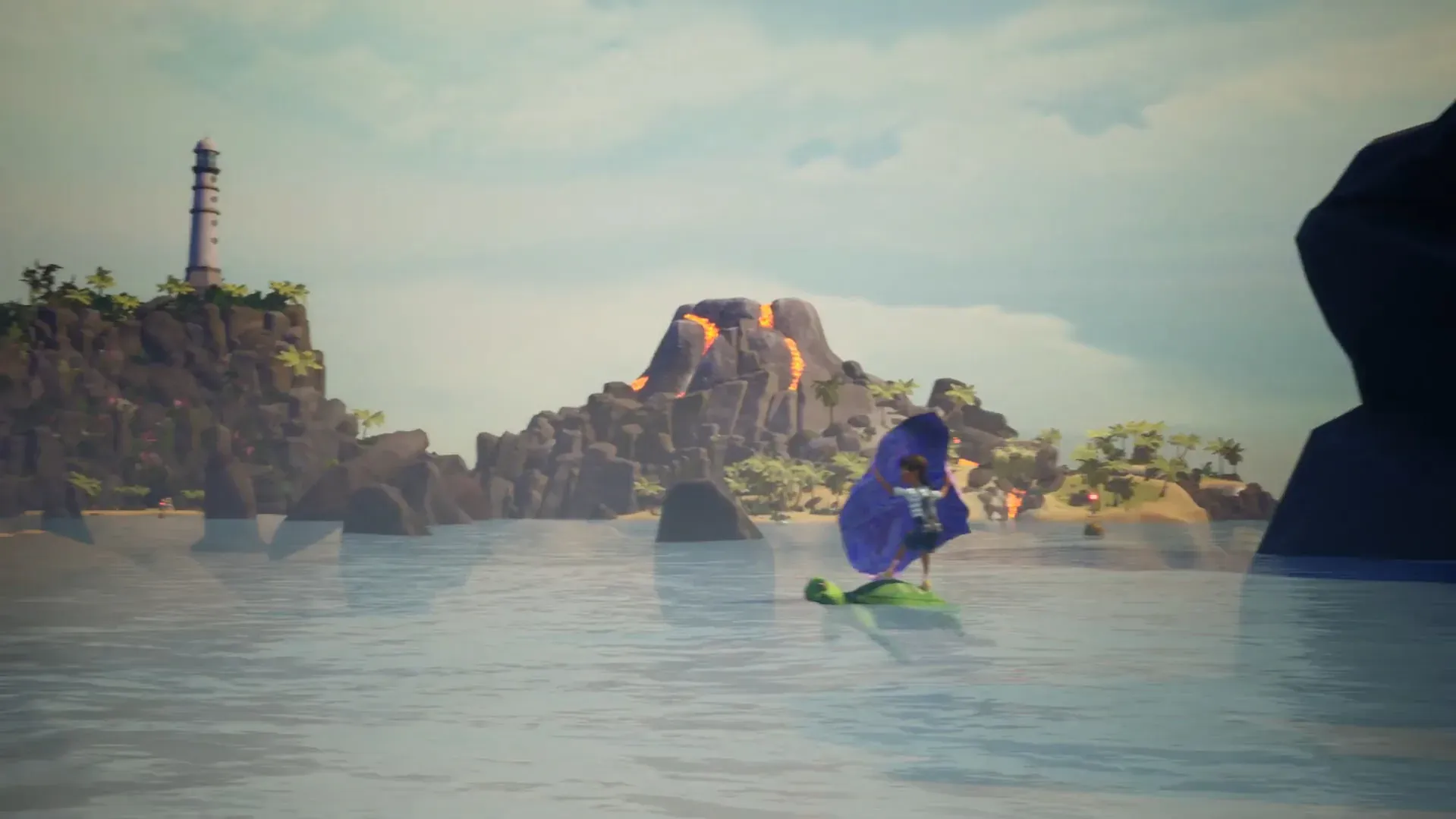
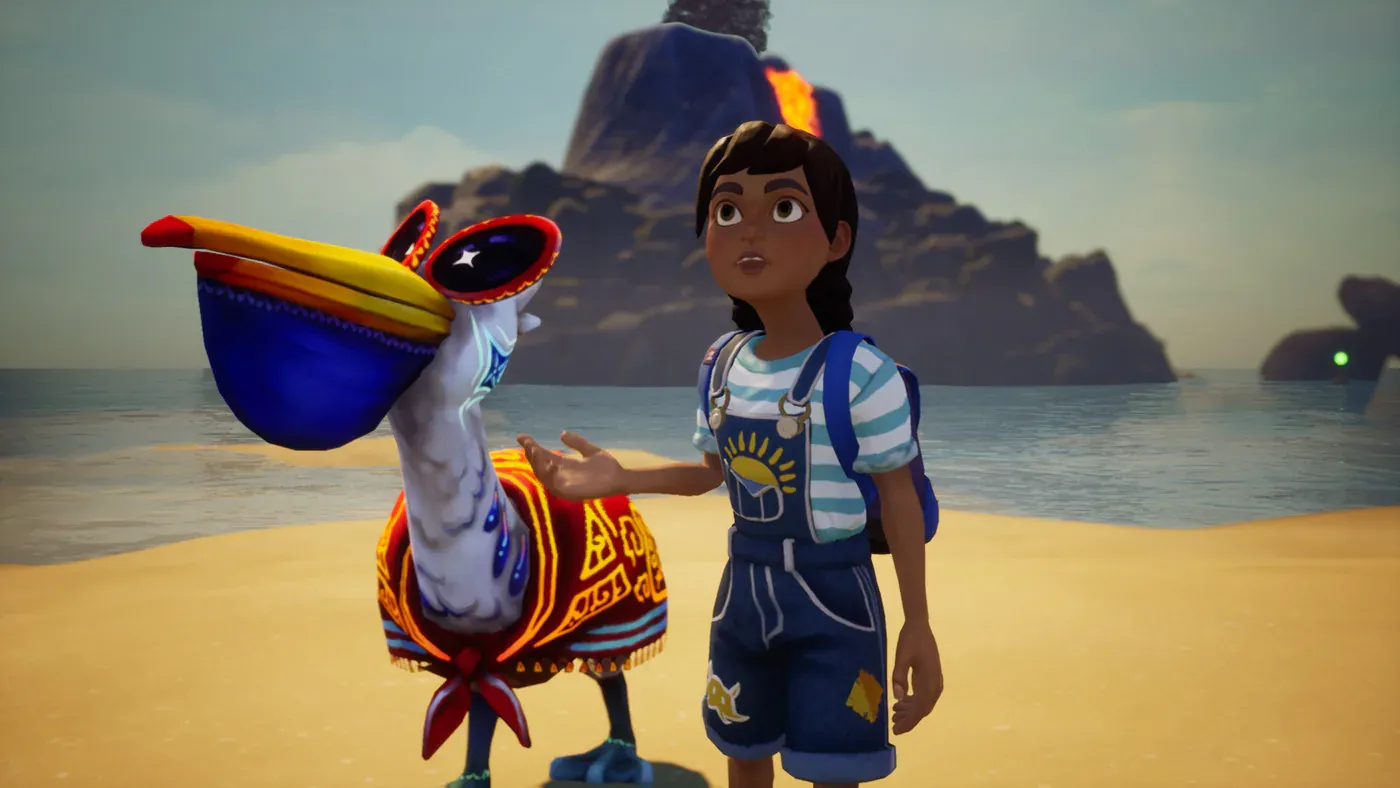
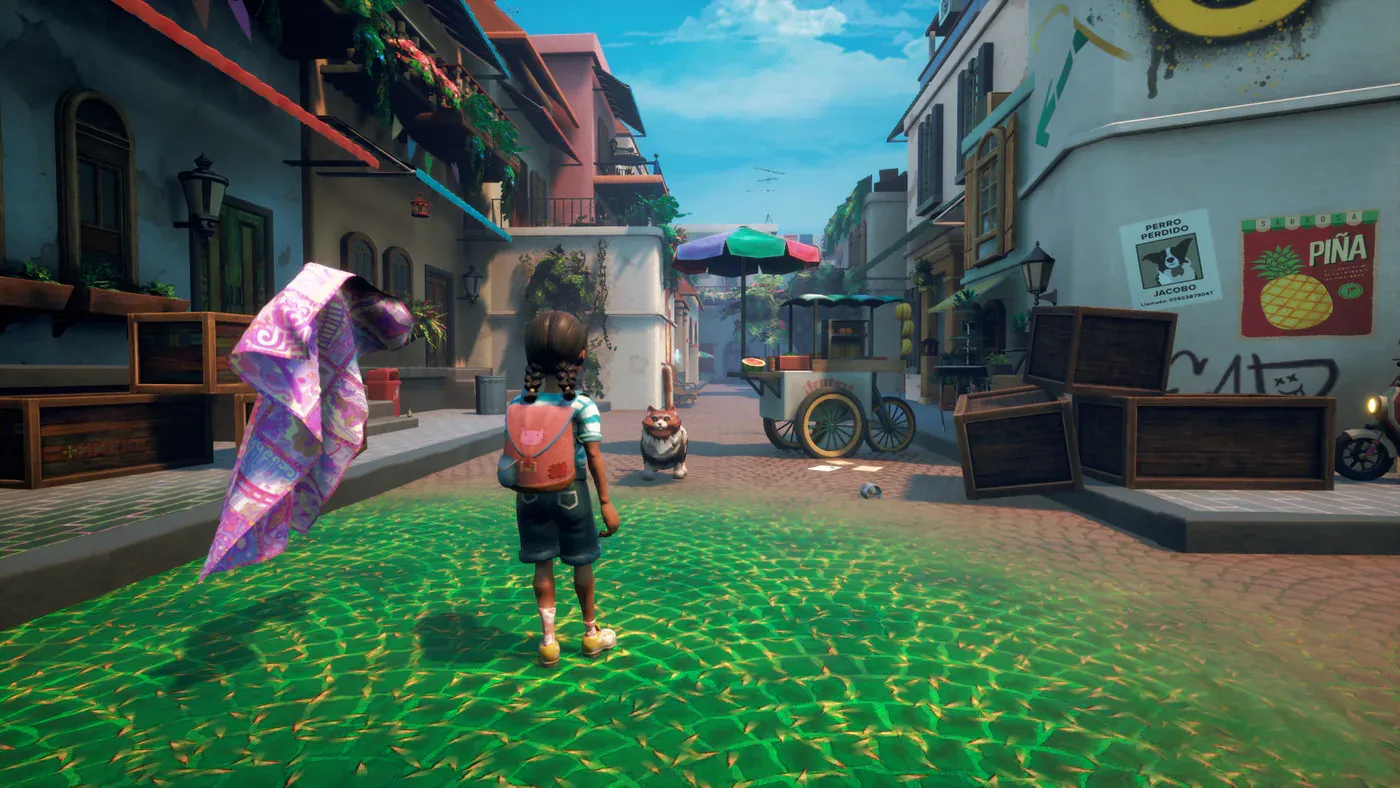
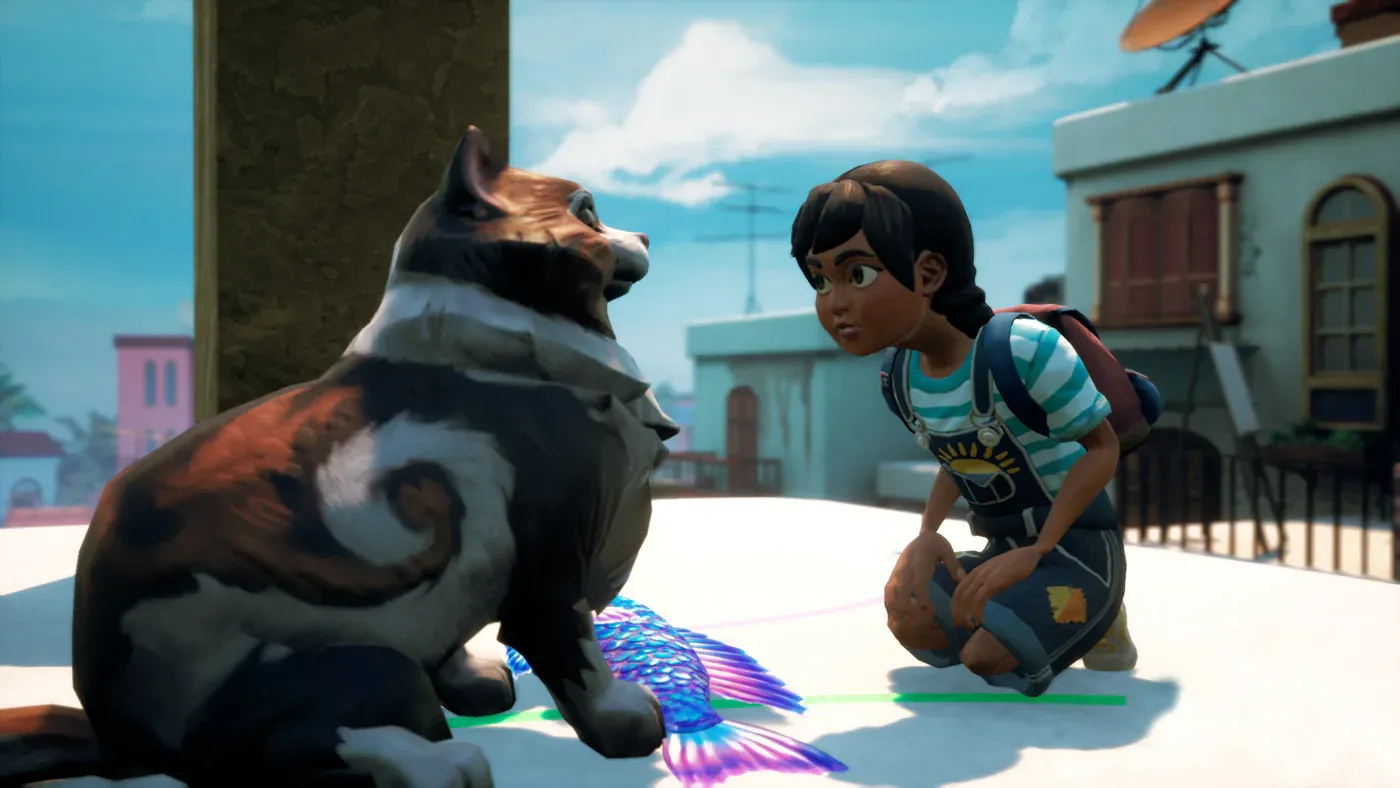
Zoélie tells the story of a young girl exploring her town of La Colina alongside Sueño, a quilt powered by her imagination. It was my capstone at SCAD, built from January to July 2020 by a cross-department team of roughly 38 to 42 people in interactive design, animation, visual effects, and sound design.
My Role
I was the lead programmer. I ran the programming team as Scrum master, delegated and documented its work, and reviewed code against SOLID principles. The game was built mostly in Blueprint; I used C++ chiefly to debug the engine and help with optimization.
On a team that size, much of a programmer’s job is making other people’s work land in the game. The artists’ assets have to stream in without a hitch, the sound team’s work has to play back the way they mixed it, and the level designers need tools they can drop into the world without writing code. Most of what I built was in service of that.
What I Built
- Active camouflage. The see-through camo effect behind the quilt mechanic.
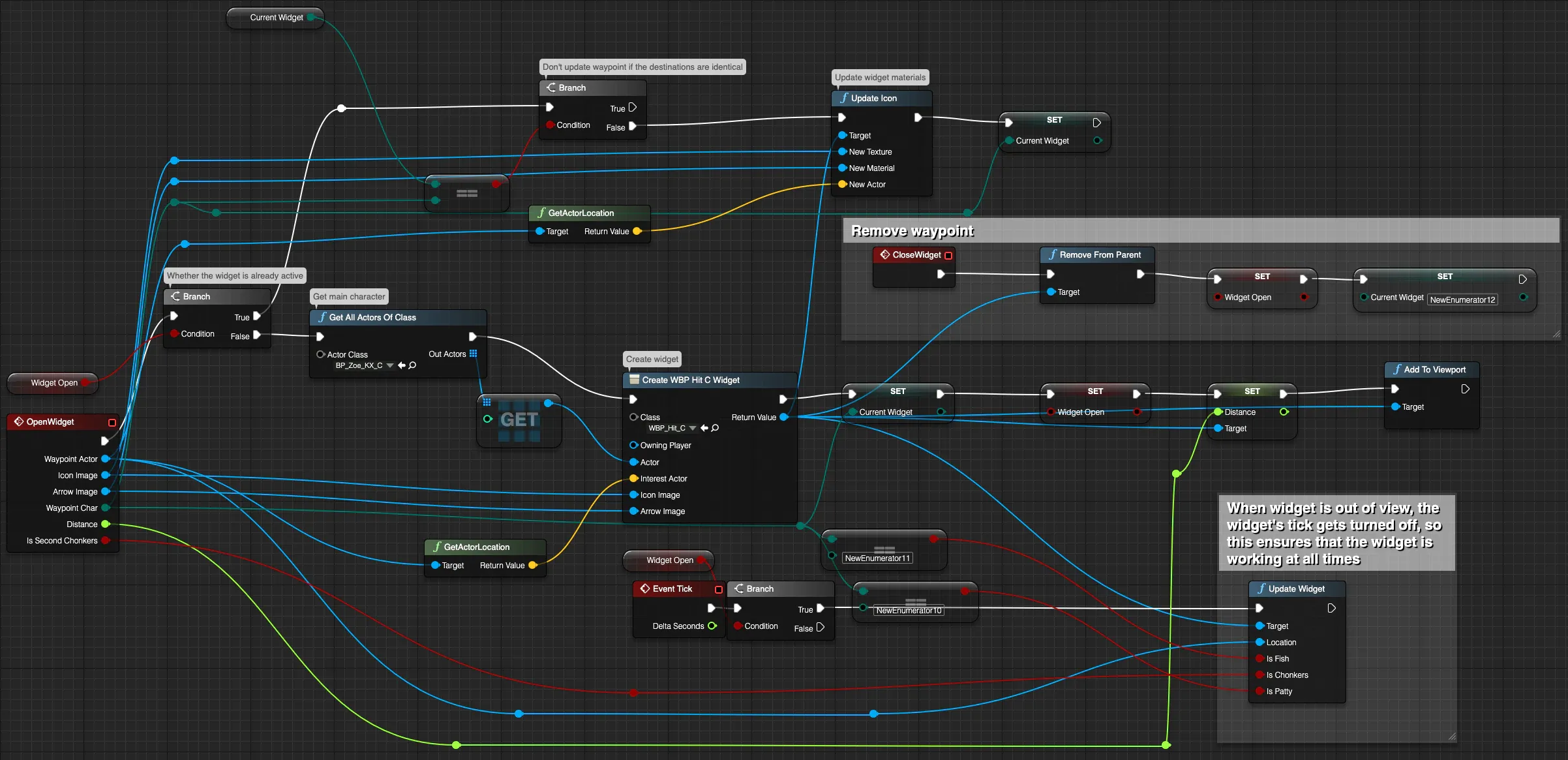
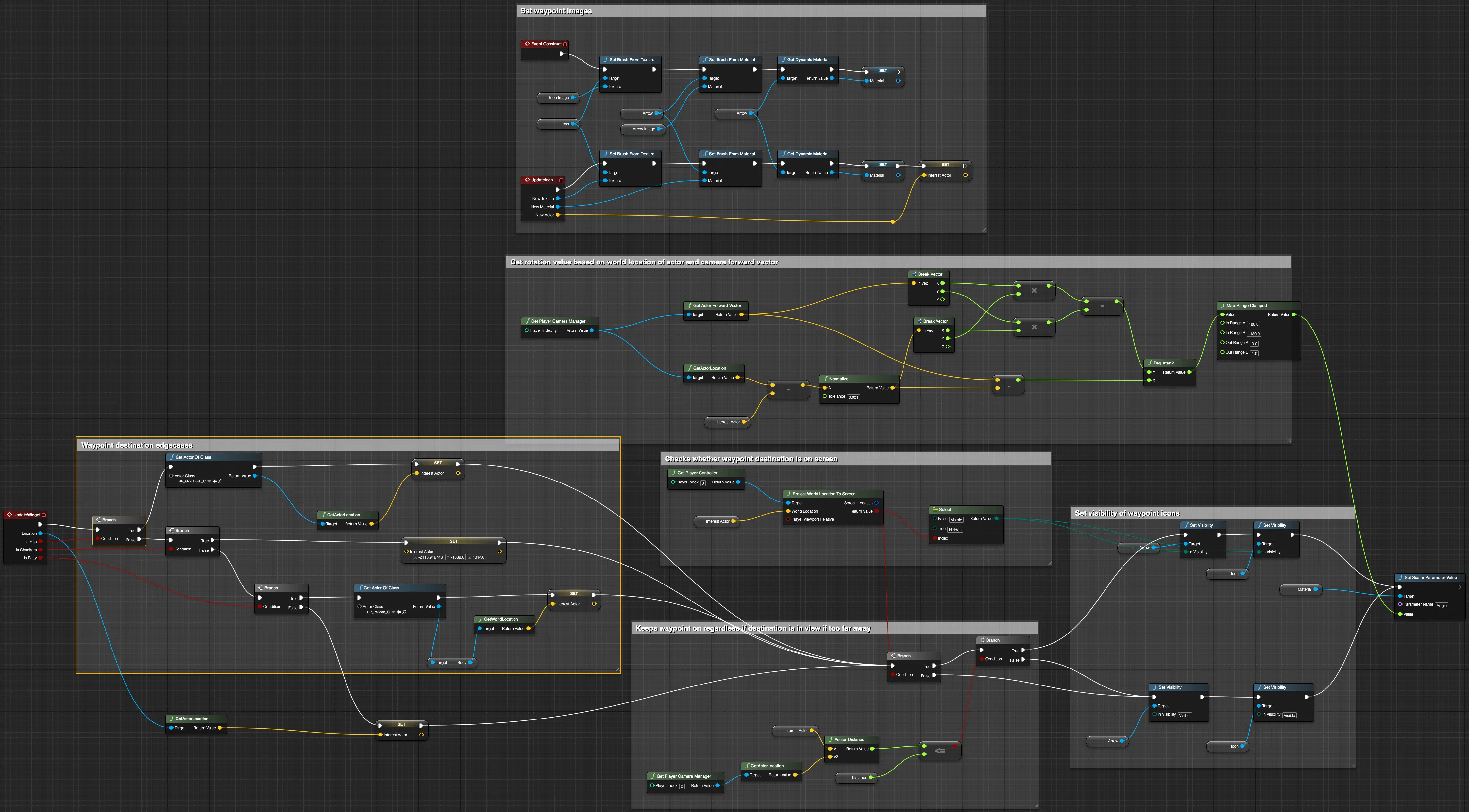
- Waypoints. A UI waypoint system: a master controller, placeable volumes, and an on-screen widget.
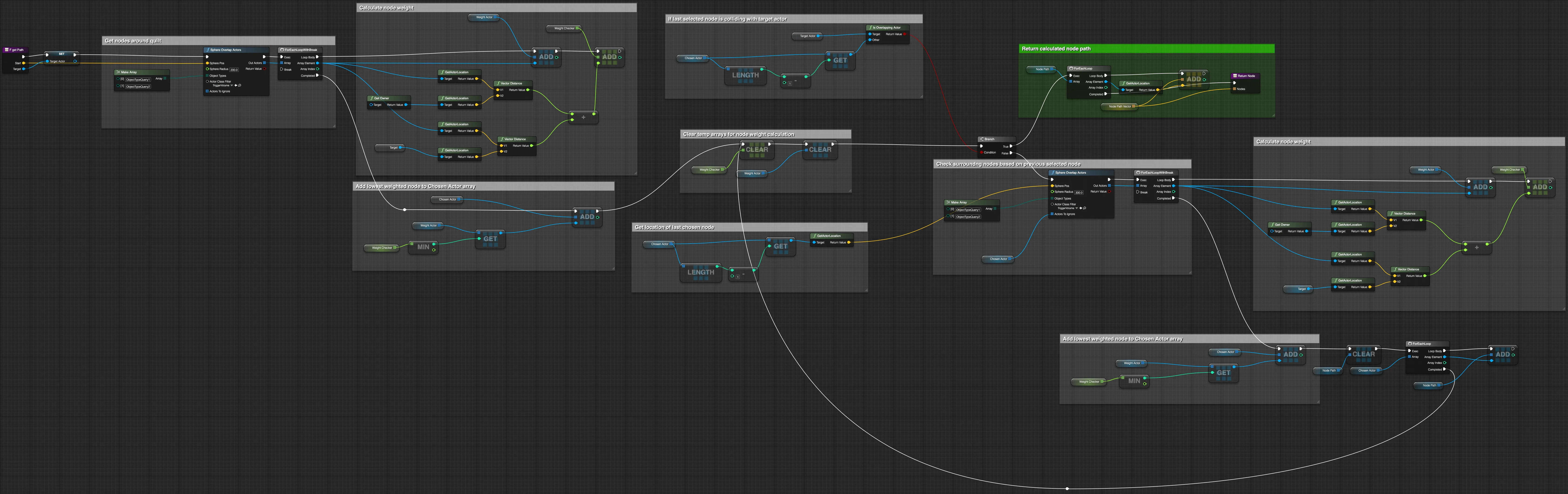
- Pathfinding. Volume-based A* for 3D pathfinding.
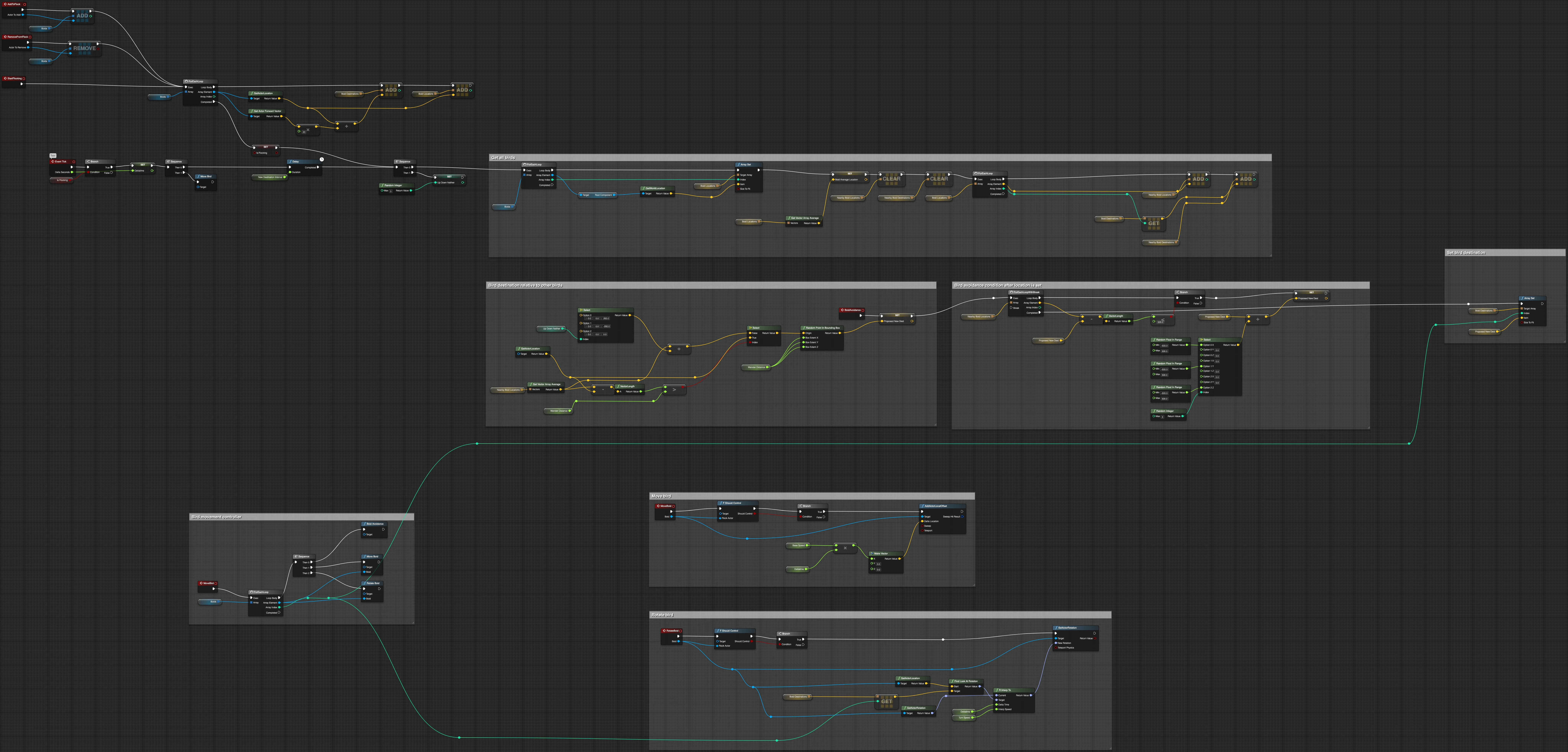
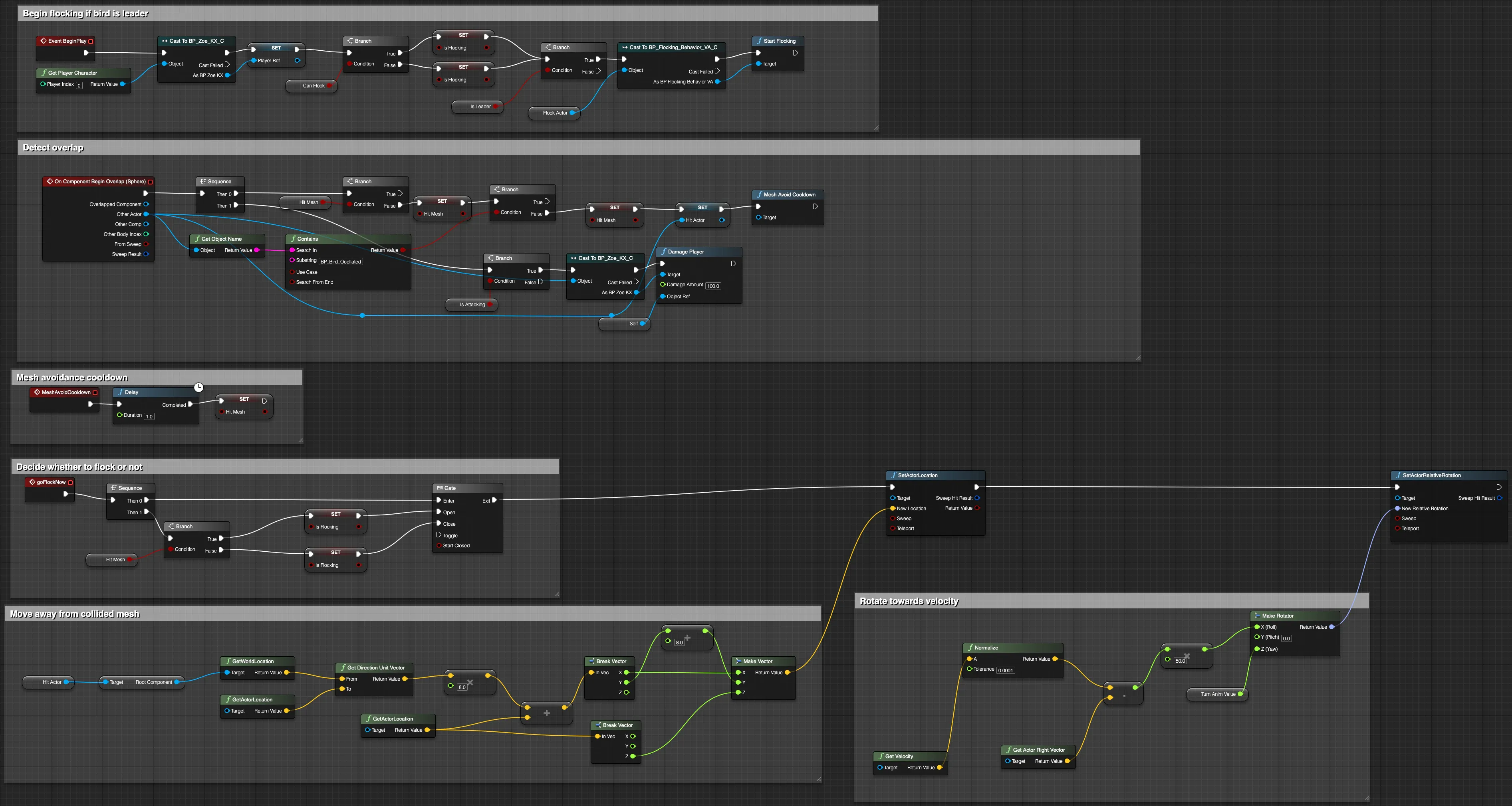
- Birds. Group flocking, with collision avoidance for each bird.
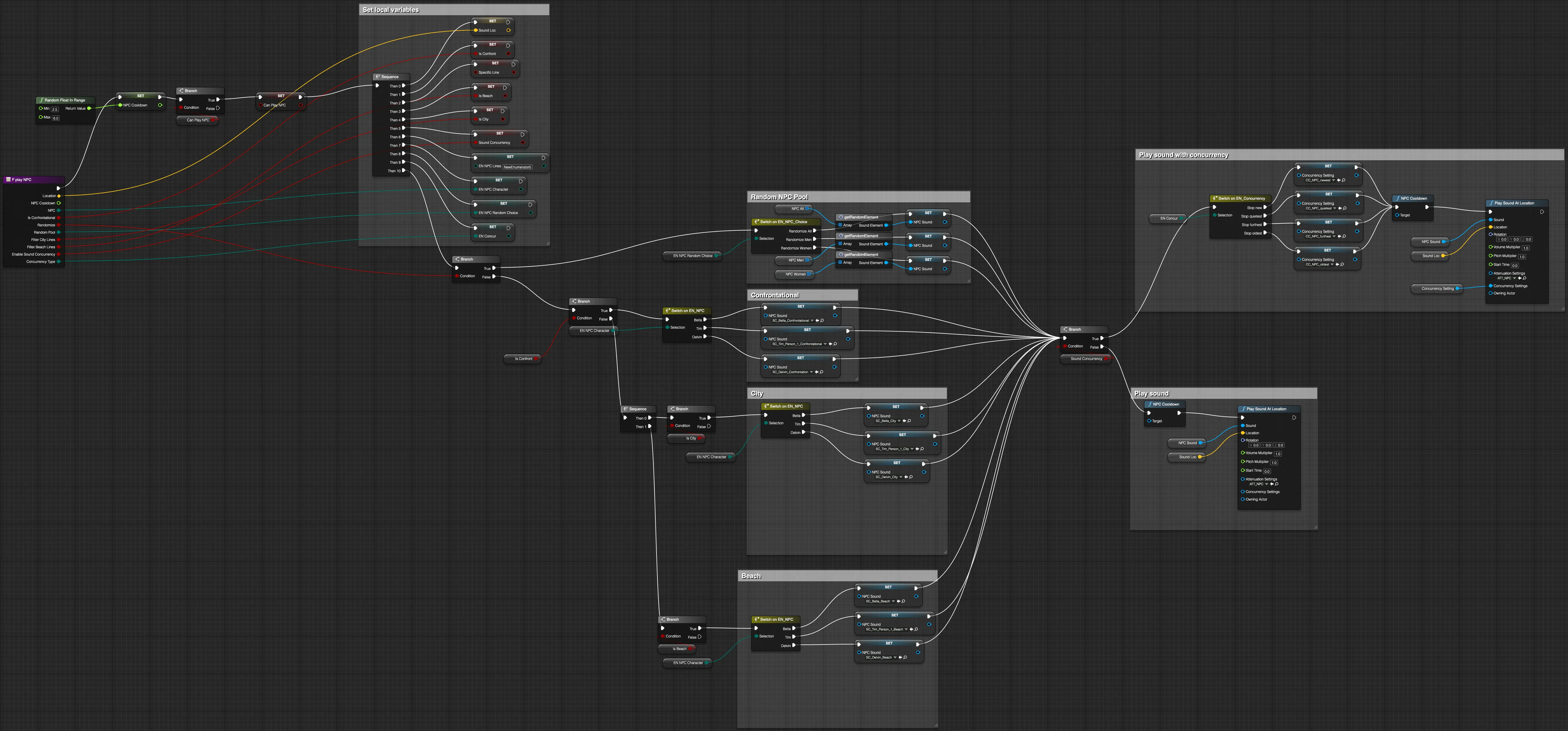
- Audio. I recreated the Wwise functionality we needed: a mixing stack controller, NPC voices, stacked dialogue playback, and footsteps, plus emergent dialogue.
- Performance. Asset optimization and caching, streaming and level streaming, and the engine and lighting builds.
Active Camouflage
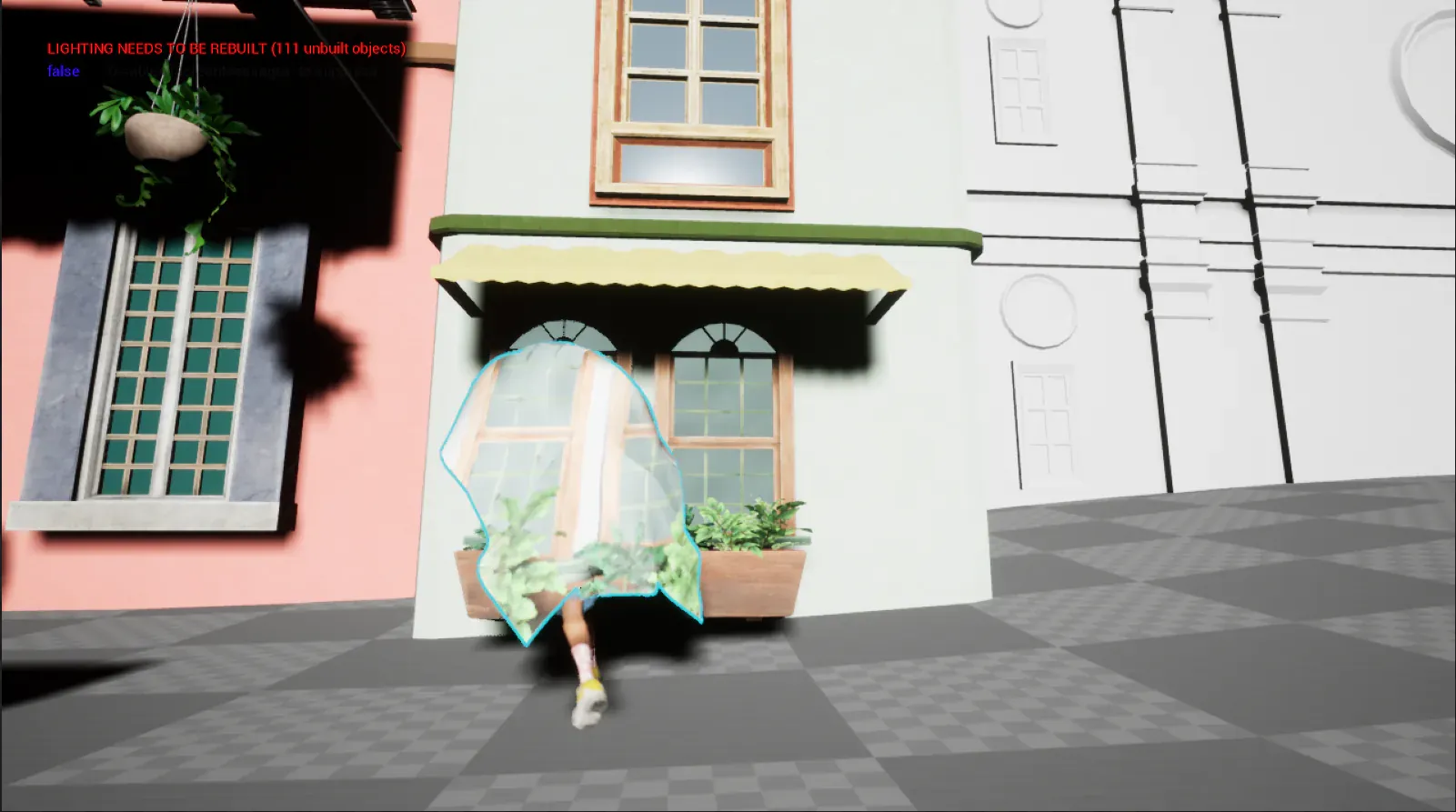
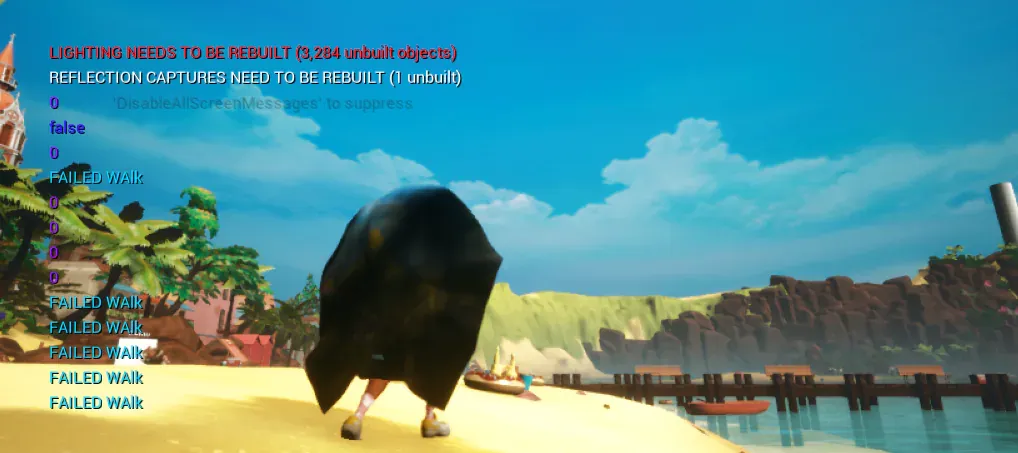
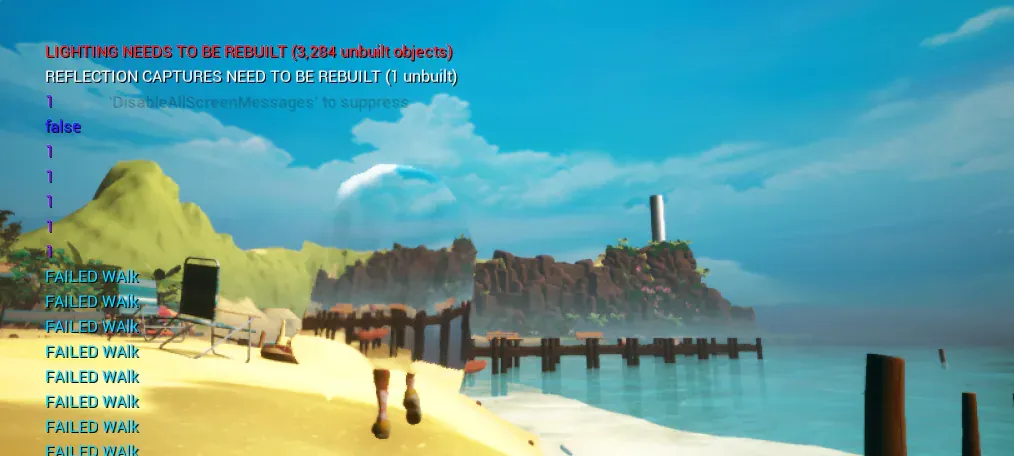
For this mechanic, the player drapes a quilt over their head, and the quilt takes visual data from the world around the player to become “invisible.” The principal challenge is that the quilt is constantly moving and deforming; the data pulled from around the player and transposed onto a material needs to align with the position of the camera, meaning I needed to ignore UVs altogether. But first, I needed to capture the data.
Getting the data
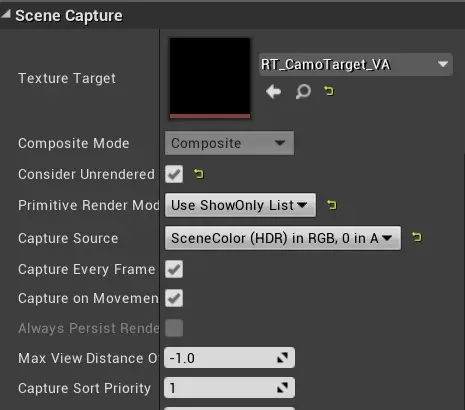
Coming from Unity, I knew that you could render camera data to a texture target. In Unreal, you achieve this through a Scene Capture Component 2D, a camera whose only function is to capture visual data and write it to a Render Target. I created an Actor Blueprint and attached a Scene Capture Component to it.
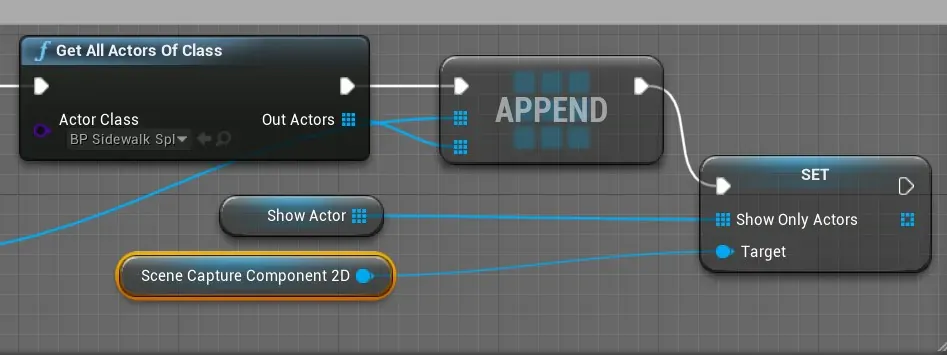
It would be odd to see the character or the quilt as part of the texture, so you can filter them out by changing the Primitive Render Mode to “Use ShowOnly List,” which you can reach through Blueprint. The ShowOnly list accepts an array of Actors. In my Blueprint, a Get All Actors Of Class function filled it with every static mesh, plus any other Actors I needed that didn’t fit that type; if an Actor was left out, you can add it to the array by hand. The Blueprint ran this code only once, on Event BeginPlay.
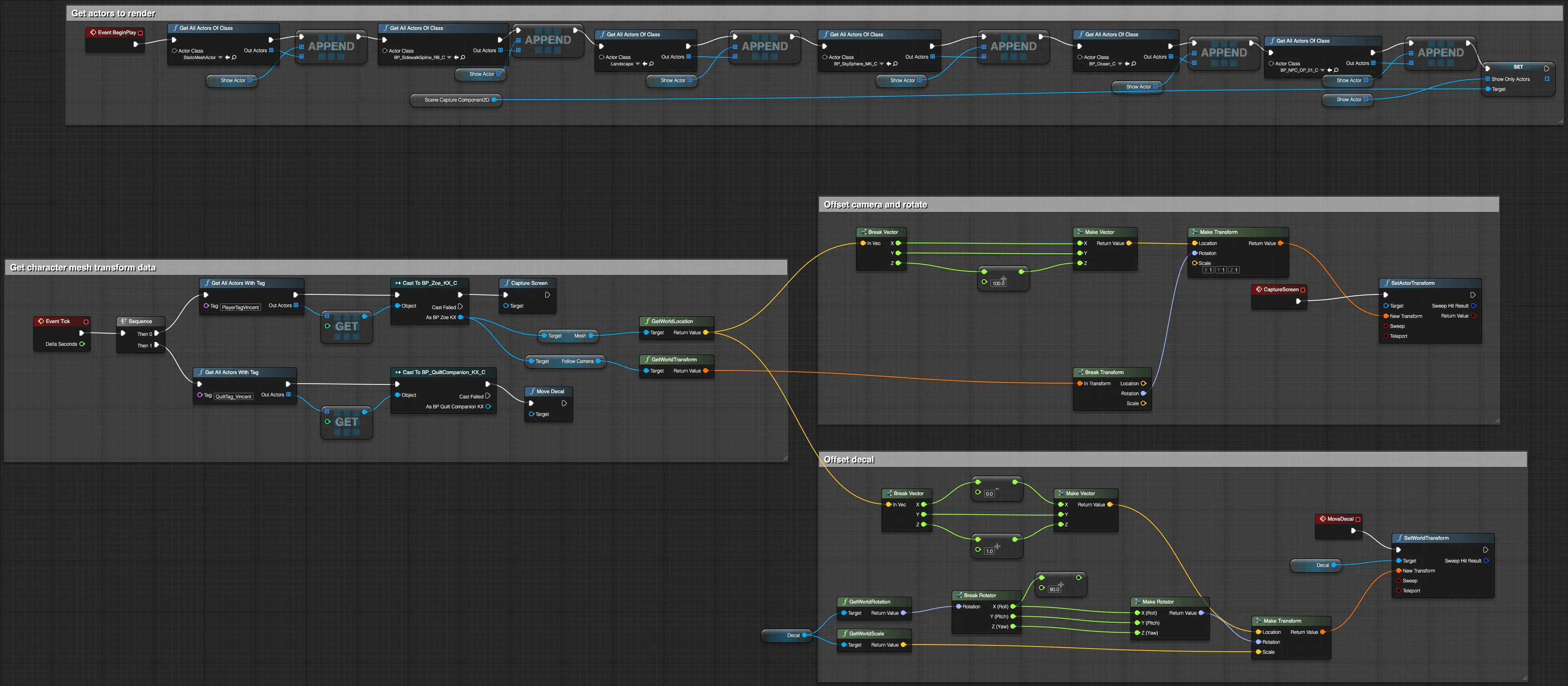
The Scene Capture component needed to follow the player, so on Event Tick, the script found the player through a tag and took the player’s world location and the camera’s transform, so the Actor both follows the player and rotates with the camera.
Using the scene data
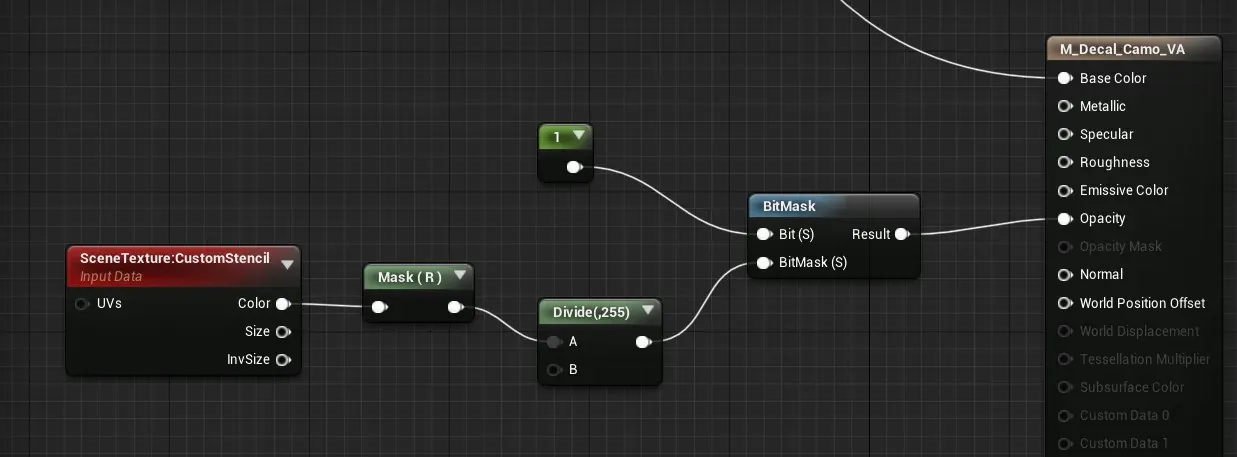
With the Render Target getting all the environment data I needed for a material, I could move on to the next step, except that a constantly rotating and deforming actor made it impossible to use. To solve this, I used a decal, which projects a material onto a surface, conforming to the normals of a mesh. The issue with decals is that they project onto anything within range. You can get around that by masking out the rest of the scene with a bitmask through a Custom Stencil, which masks out specific objects assigned to a particular bit. I chose a bit value of 1. In the decal material, I got the Custom Stencil from the Scene Texture, took the r channel, and divided by 255 to get the bitmask value, choosing a bit value of 1. The quilt is the only actor with that stencil value. That mask then goes into the opacity channel, so the mask essentially crops the material.
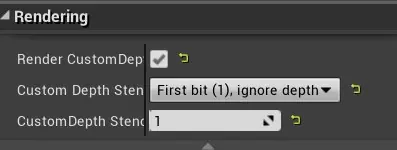
On the quilt actor, I enabled custom depth, set the depth stencil to the first bit, and set the stencil value to 1. Now the material works exclusively with the quilt.
Finally, I set the decal’s location onto the quilt. By default, the quilt never receives decals until the player activates the camo, and now everything works. The last issue was shadows: shadows cast by other actors, and by the quilt itself, made the camo effect hard to see, so I added a slight emissive to the material.
The Blueprints
Zoélie was built mostly in Blueprint, and these are the graphs behind the systems I built. Open any graph at full size, then click it again to read it at actual size.
Waypoints and pathfinding
Birds
Audio
I recreated the Wwise functionality we needed in Blueprint.


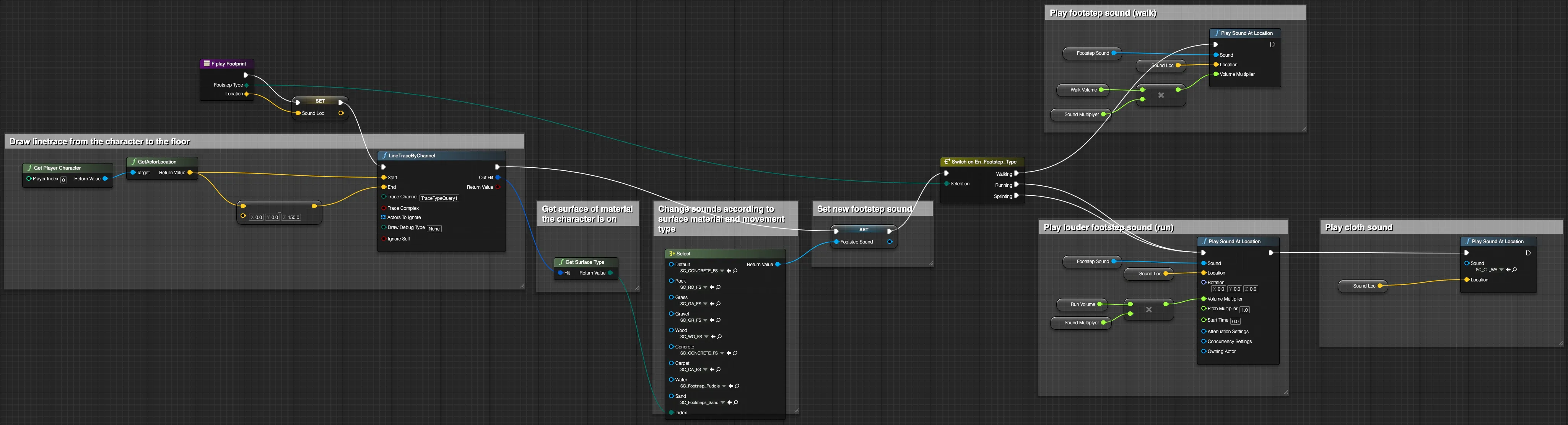
The same graphs are on blueprintUE, where you can pan, zoom, and copy the nodes: active camouflage, waypoint master, waypoint widget, volume-based A*, group flocking, collision avoidance, mixing stack, NPC voices, stacked dialogue, and footsteps.
What Happened
Zoélie won first place for Best Gameplay at the 2021 Intel University Games Showcase. At The Rookies 2020, it was Highly Commended for Game of the Year, a finalist for Rookie of the Year, and a Draft Selection. It was shown at the Epic Educator Event 2020 and in the Unreal Engine Spring 2021 Student Showcase, and a refined version was released on Steam by SCAD Games Studio.
In April 2021, I gave a talk at SCAD GamingFest on the technical side of building it, and was interviewed about the game by Animation Career Review, CW69 Atlanta, and Savannah Now. I later collaborated with SCAD alumni on Shotseror, a Hong Kong-inspired action game under Heartdrop Games.




- Best Gameplay, Intel 2021
- 1st
- team members
- ~40
- The Rookies 2020
- Highly Commended